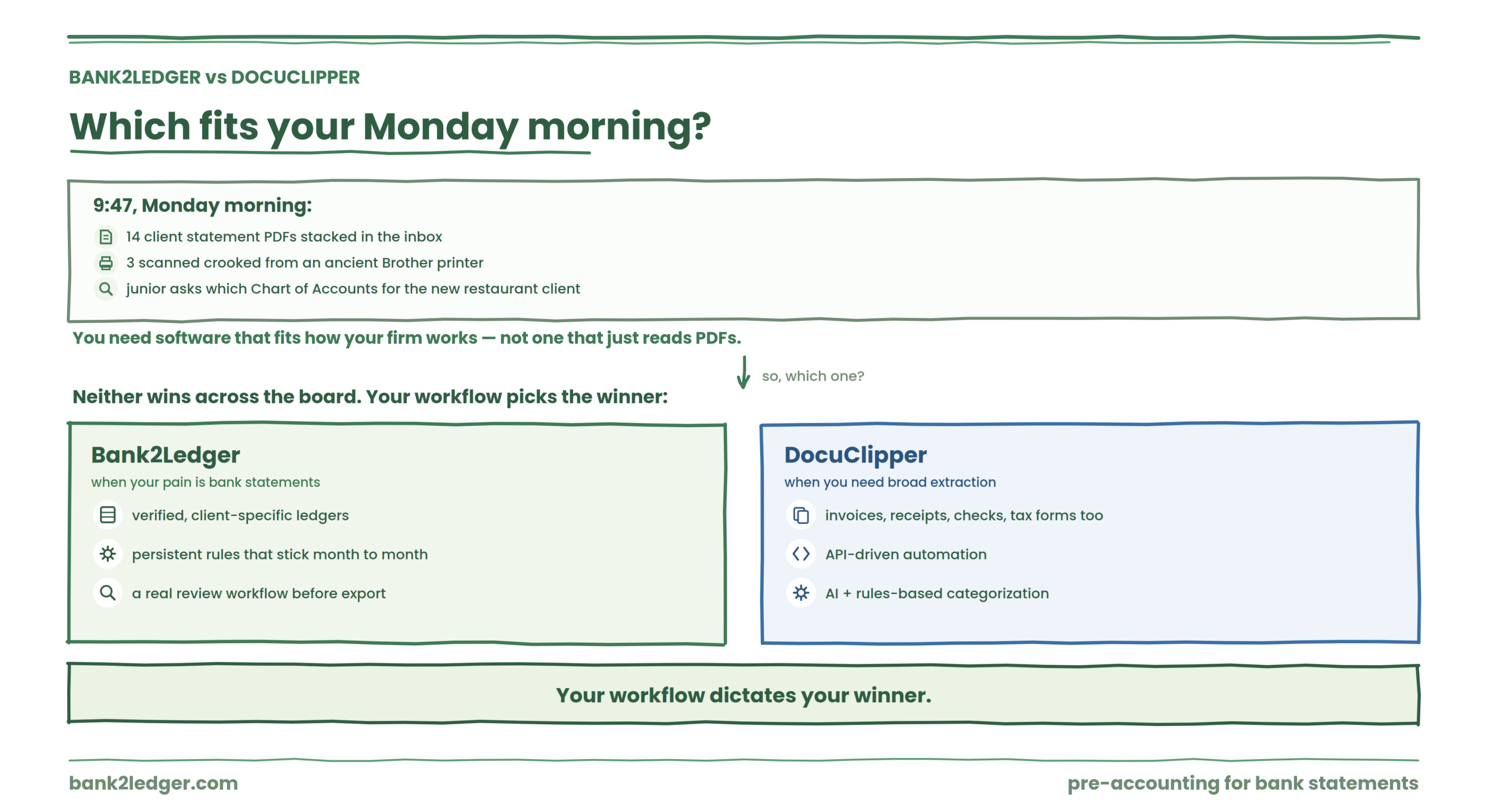
It’s 9:47 on a Monday morning. You’ve got 14 client statement PDFs stacked in your inbox, three are scanned crooked from a client’s ancient Brother printer, and your junior bookkeeper just pinged you asking which Chart of Accounts to use for the new restaurant client. You need software that doesn’t just read PDFs. You need software that fits the way your firm actually works.
So which one handles that Monday morning better: Bank2Ledger or DocuClipper?
Neither tool wins across the board. Bank2Ledger is the stronger choice for firms whose core pain is getting bank statements into verified, client-specific ledgers with persistent rules and a review workflow. DocuClipper is the stronger choice for firms that need broader financial document extraction (invoices, receipts, checks, tax forms) alongside bank statements and want API-driven automation. Your workflow dictates your winner.
Bank2Ledger vs DocuClipper at a Glance
| Area | Bank2Ledger | DocuClipper |
|---|---|---|
| Core focus | Pre-accounting for bank statements | Financial document automation |
| Bank statements | ✓ | ✓ |
| Scanned statements | ✓ (up to 300 pages) | ✓ |
| Balance verification | ✓ | ✓ (reconciliation features) |
| Transaction categorization | Client-specific rules (description, payee, amount) | AI and rules-based categorization |
| Client-specific Chart of Accounts | ✓ | Available on certain plans |
| Persistent categorization rules | ✓ (corrections become rules) | Rules-based mapping available |
| Review/exception queue | ✓ | Not prominently featured |
| Source traceability (page/line) | ✓ | Not prominently featured |
| Multi-client workspaces | ✓ | Team features on higher tiers |
| Broader document types | Primarily bank statements | Bank statements, invoices, receipts, checks, tax forms |
| QuickBooks export | ✓ (QBO) | ✓ |
| Xero export | ✓ (CSV) | ✓ |
| API/webhooks | Not prominently advertised | ✓ |
| Pricing model | Firm-level page pool | Page-based volume tiers |
What Is Bank2Ledger?
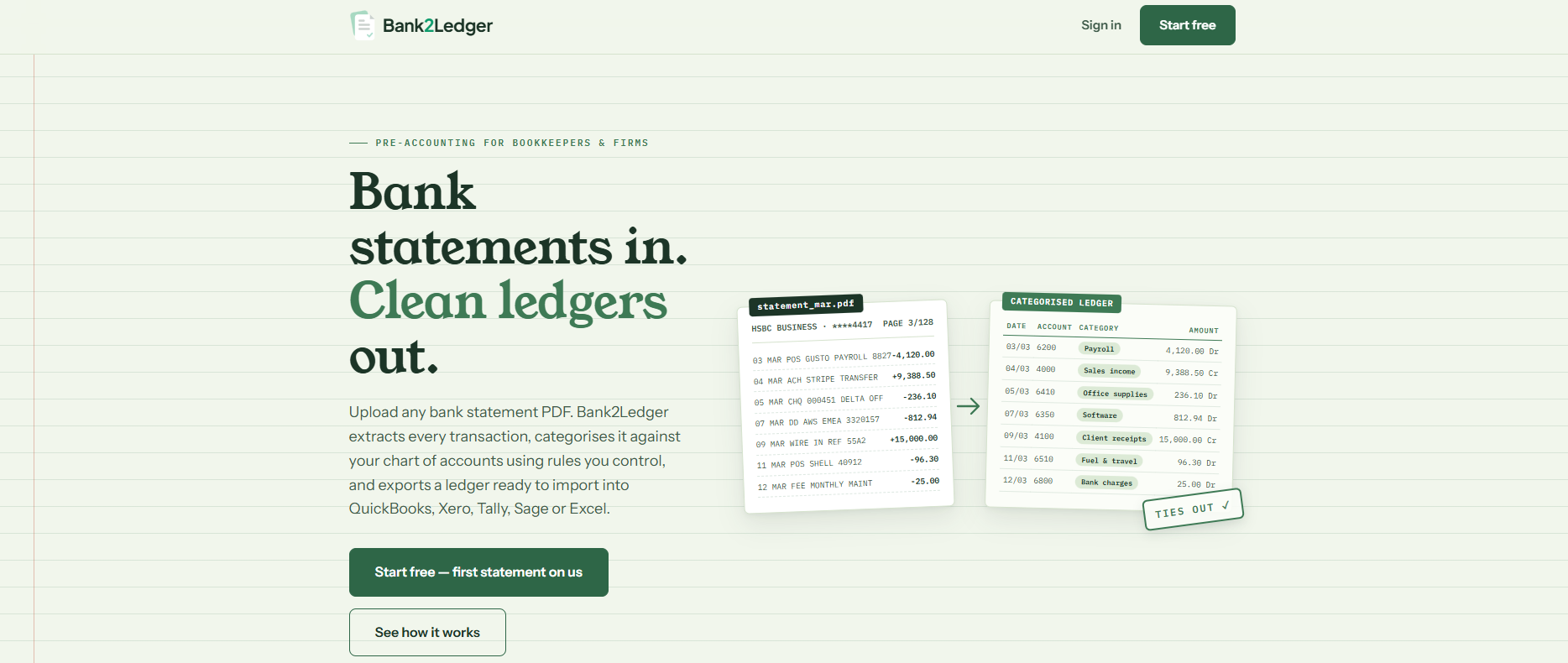
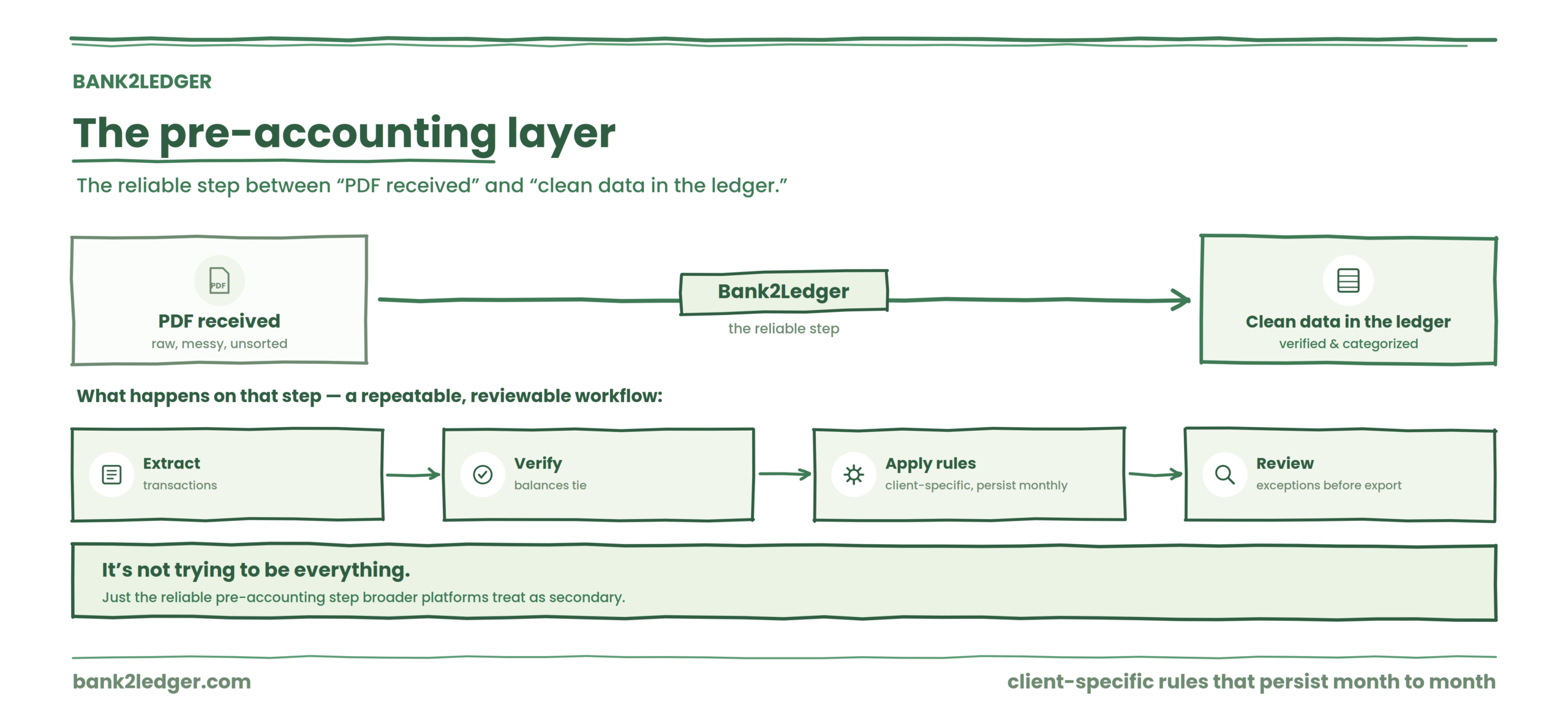
Bank2Ledger is a pre-accounting platform built for bookkeeping and accounting firms that process client bank statement PDFs. Its workflow centers on extracting transactions, verifying balances against the statement, applying client-specific categorization rules, routing exceptions for review, and exporting clean ledger data to accounting software like QuickBooks, Xero, Tally, or Sage.
The product frames itself around the space between “raw PDF” and “accounting software entry.” That space is where most manual bookkeeping labor lives.
What Is DocuClipper?
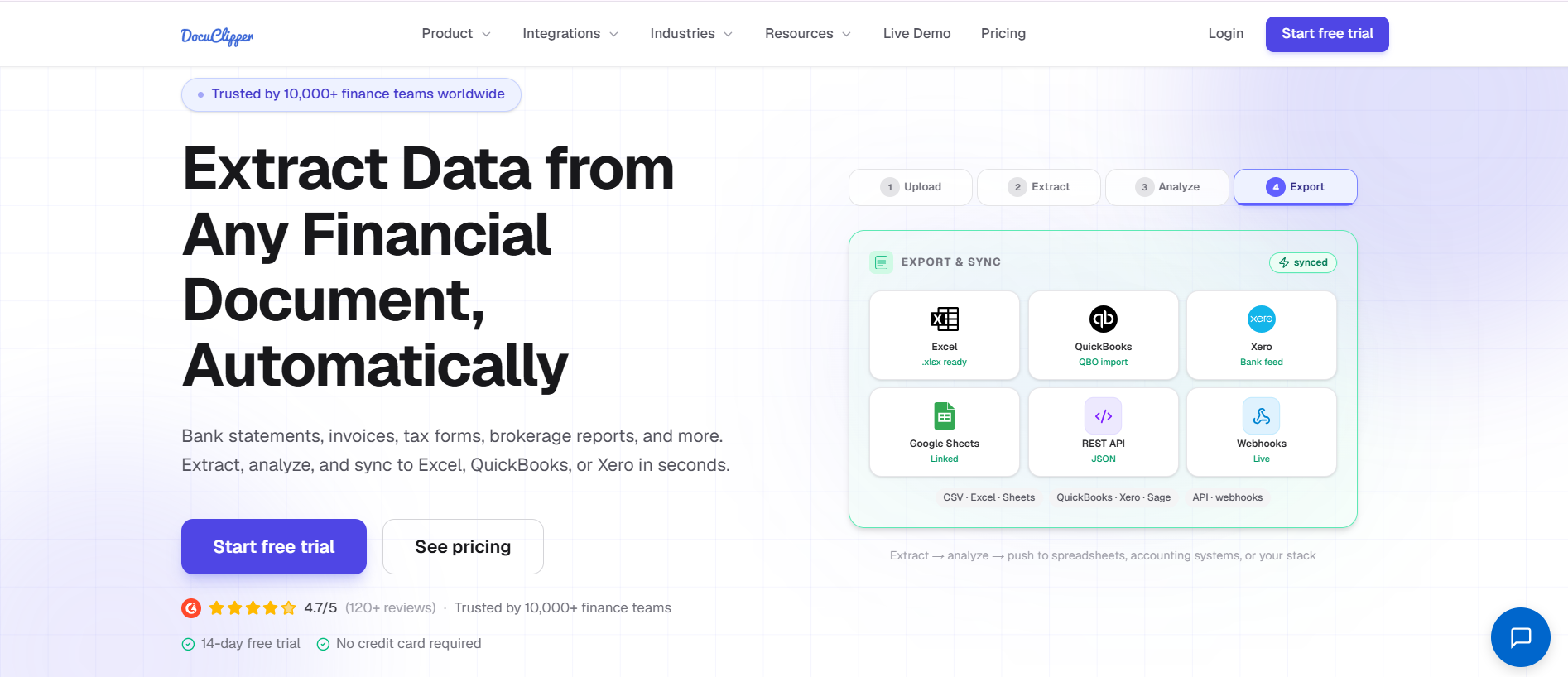
DocuClipper is a financial document automation platform that extracts structured data from bank statements and other financial documents, including invoices, receipts, checks, and tax forms. It uses OCR to convert PDFs into usable data and offers exports to Excel, CSV, QuickBooks, Xero, and other systems. DocuClipper currently advertises API and webhook support, Google Drive automation, and features like transaction categorization and reconciliation. On its pricing page, DocuClipper lists unlimited users across its current plans.
How They Approach Bank Statement Processing
The real comparison isn’t feature-for-feature. It’s workflow-for-workflow. Here’s how both tools handle the actual job an accounting firm performs every month.
1. Bank Statement Extraction
Both platforms convert PDF bank statements into structured transaction data. Both handle digital and scanned statements. Bank2Ledger explicitly supports statements up to 300 pages and multiple banks per client, which matters when a single client hands you a full year of statements from three accounts in one go.
DocuClipper advertises 99.9% field-level accuracy on its website. That’s a vendor claim, not an independently audited figure, so treat it accordingly. Bank2Ledger doesn’t publish an accuracy percentage, which is actually more honest. In practice, extraction accuracy depends heavily on statement quality: a clean Chase PDF will parse well on either platform, while a faded scan from a regional credit union will test both.
Friction point (Bank2Ledger)
If you need to extract data from invoices or receipts alongside bank statements, you’ll need a separate tool. Bank2Ledger stays in its lane.
Friction point (DocuClipper)
The breadth of document types means the interface serves multiple use cases. Firms that only process bank statements may find themselves navigating features they’ll never use.
2. Balance Verification
This is where the workflows start diverging meaningfully. Bank2Ledger includes balance verification as a core step: the system checks extracted transactions against the statement’s opening and closing balances before the data moves downstream. When the numbers don’t tie, you know before anything reaches your books.
Picture this: your associate uploads a 47-page Wells Fargo statement for a property management client. Page 31 had a smudge that garbled a $4,200 rent deposit. Bank2Ledger flags the balance discrepancy in the review queue. Without that check, the error quietly flows into QuickBooks and surfaces three weeks later during reconciliation.
DocuClipper offers reconciliation features, but its verification workflow is positioned differently. It’s less about catching extraction errors before export and more about reconciling data after extraction.
Friction point (DocuClipper)
The reconciliation step isn’t as prominently integrated into a “stop-and-fix-before-export” workflow.
Friction point (Bank2Ledger)
Balance verification adds a step. For firms processing high volumes of clean digital statements that rarely have errors, this step could feel unnecessary.
3. Transaction Categorization and Chart of Accounts
Here is the sharpest distinction between these two products.
Bank2Ledger builds categorization around client-specific Charts of Accounts with persistent rules. You set up rules based on transaction descriptions, payees, or amounts. When you correct a categorization, that correction becomes a rule. Next month, the same Comcast payment for Client A automatically maps to Telecommunications, while the same vendor for Client B maps to Office Expenses because their Chart of Accounts is structured differently.
This matters because categorization is not a universal exercise. A $812.94 AWS charge might be Software Subscriptions for one client, Cost of Sales for another, and Infrastructure for a third. The account mapping depends on the client’s accounting policies, industry, and Chart of Accounts. No AI model can resolve that without client-specific context, which is exactly why a general tool like ChatGPT struggles to turn a bank statement into a reliable ledger. Bank2Ledger’s persistent rules approach acknowledges this reality. Bank2Ledger’s persistent rules approach acknowledges this reality.
DocuClipper offers AI and rules-based transaction categorization. Its approach leans on pattern recognition and broader automation. For firms that want quick categorization without building client-specific rulesets, this can be faster to start with. But the question is whether those categorizations hold up across different clients with different accounting structures.
Friction point (Bank2Ledger)
Building client-specific rulesets takes time upfront. The payoff comes in month two and beyond, when the rules fire automatically.
Friction point (DocuClipper)
AI categorization can feel like a black box. When it miscategorizes, you need to understand how to override it and whether overrides persist for that specific client context.
4. Review, Exceptions, and Source Traceability
Bank2Ledger includes a review queue where flagged transactions surface for human attention. It also provides source page and line traceability, so a reviewer can see exactly where on the original statement a transaction appeared. For firms where a senior accountant reviews a junior’s work, or where a partner signs off before export, this workflow layer matters.
DocuClipper doesn’t prominently feature a comparable review queue or source-line traceability in its current product materials.
Mini-scenario: A staff bookkeeper processes 23 client statements on Tuesday. The senior reviewer opens the dashboard Wednesday morning, sees four flagged exceptions across three clients, clicks through to the source page for each, confirms or corrects, and approves the batch. That’s a workflow Bank2Ledger was designed for.
5. Multi-Client Firm Operations
Bank2Ledger organizes work into client workspaces, offers a close dashboard for tracking month-end status across clients, and uses a firm-level page pool rather than per-client pricing. Staff seats are included so multiple team members can work across clients.
DocuClipper offers team management on higher-tier plans and currently advertises unlimited users. Its Enterprise tier includes audit logs, SSO, and IP allowlisting, which signals readiness for larger organizations.
Friction point (Bank2Ledger)
Firms wanting enterprise security features like SSO should verify current availability.
Friction point (DocuClipper)
The most robust team and security features sit behind the Enterprise tier, which may price out smaller firms that still need collaboration tools.
6. Accounting Software Exports
Bank2Ledger exports to QuickBooks (QBO format), Xero (CSV), Tally (XML), Excel, and supports CSV workflows for Sage and other platforms. This spread matters for firms whose client base spans multiple accounting systems.
DocuClipper exports to QuickBooks, Xero, Excel, and CSV, and offers API and webhook integrations for custom automation workflows.
7. Broader Financial Document Processing
DocuClipper wins this category outright. If your firm processes invoices, receipts, checks, and tax forms alongside bank statements, DocuClipper handles them in one platform. Bank2Ledger focuses on bank statements. That narrower scope is a deliberate product decision, not a limitation they’re hiding.
See the bank-statement workflow in action
Extract, verify balances, apply client-specific rules, and review exceptions before export — all in one place. Upload your first client statement and watch it become clean ledger data.
Pricing and Cost Structure
Both platforms use page-based pricing. DocuClipper’s pricing page currently shows tiered plans with different page volumes, unlimited users, and escalating feature access. Bank2Ledger uses a firm-level page pool model.
Check both pricing pages directly before making a decision. Pricing changes frequently, and any figures published in a comparison article age fast. As of the time of this writing, both vendors’ pricing pages are publicly accessible.
Do not choose based on sticker price alone. A platform that costs more per page but saves 20 minutes of manual review per client per month will pay for itself inside a quarter.
Which Is Better for Accounting Firms?
| Firm Profile | Better Fit |
|---|---|
| Bank-statement-heavy bookkeeping firm | Bank2Ledger |
| Firm needing client-specific CoA and rules | Bank2Ledger |
| Firm with junior/senior review workflow | Bank2Ledger |
| Firm processing invoices, receipts, and statements | DocuClipper |
| Firm wanting API-driven document automation | DocuClipper |
| Firm needing broad financial document extraction | DocuClipper |
| Solo practitioner wanting quick PDF-to-CSV | Either, depending on volume |
If neither fits, and your firm’s primary need is deep accounting automation beyond document conversion (think auto-posting, AI journal entries, full-cycle AP), look at platforms like Dext or Hubdoc that sit closer to the accounting software layer.
The Pre-Accounting Layer
For firms that process dozens of client bank statements monthly and need a repeatable, reviewable workflow with client-specific categorization rules that persist month to month, Bank2Ledger addresses a specific operational pain point that broader platforms often treat as secondary. It’s not trying to be everything. It’s trying to be the reliable step between “PDF received” and “clean data in the ledger.”
Bank2Ledger vs DocuClipper: Pros and Cons
Bank2Ledger Pros
Dedicated pre-accounting workflow. Client-specific Charts of Accounts. Persistent rules that learn from corrections. Review queue with source traceability. Multi-client workspaces. Exports spanning QuickBooks, Xero, Tally, Sage, and Excel.
Bank2Ledger Cons
Narrower product scope. Primarily bank statements only. Firms needing invoice or receipt processing will need an additional tool.
DocuClipper Pros
Broader financial document coverage. API and webhook support. Unlimited users on current plans. Established content and comparison ecosystem. AI-assisted categorization.
DocuClipper Cons
Review and exception workflows are less prominently developed. Client-specific persistent rules are less central to the product design. Enterprise features require higher-tier plans.
Frequently Asked Questions
What is the main difference between Bank2Ledger and DocuClipper?
Bank2Ledger is a pre-accounting platform focused specifically on converting bank statement PDFs into verified, categorized ledger data using client-specific rules and review workflows before export to accounting software. DocuClipper is a broader financial document automation platform that extracts data from bank statements, invoices, receipts, checks, and tax forms with OCR, API integrations, and exports to multiple systems.
Does Bank2Ledger support scanned bank statements?
Yes. Bank2Ledger processes both digital and scanned bank statements, handling documents up to 300 pages.
Which platform supports QuickBooks and Xero?
Both. Bank2Ledger exports QBO files for QuickBooks and CSV for Xero. DocuClipper integrates with both platforms directly.
Which is better for firms with many clients?
Bank2Ledger’s client workspaces, firm-level page pool, and close dashboard were built for multi-client bookkeeping operations. DocuClipper supports team workflows on higher tiers with unlimited users.
Can either tool replace accounting judgment for categorization?
No. Both tools assist with categorization, but the correct account mapping depends on each client’s Chart of Accounts, industry, and accounting policies. Bank2Ledger addresses this with client-specific rules that persist. DocuClipper uses AI-assisted categorization that may require manual oversight.
Does DocuClipper process documents beyond bank statements?
Yes. DocuClipper currently supports invoices, receipts, checks, and tax forms alongside bank statements.
How do their pricing models compare?
Both use page-based pricing. DocuClipper offers tiered plans with different page volumes. Bank2Ledger uses a firm-level page pool. Check each vendor’s current pricing page for the latest figures, as both update their plans periodically.
Built for bank-statement-heavy firms
If your core pain is getting client bank statements into verified, client-specific ledgers — with persistent rules, a review queue, and exports to QuickBooks, Xero, Tally, and Sage — Bank2Ledger is built for exactly that step. Upload your first statement and see the workflow.